
Discover the most useful pyRevit extensions that optimize repetitive tasks, increase productivity, and help you get the most out of your BIM workflow.
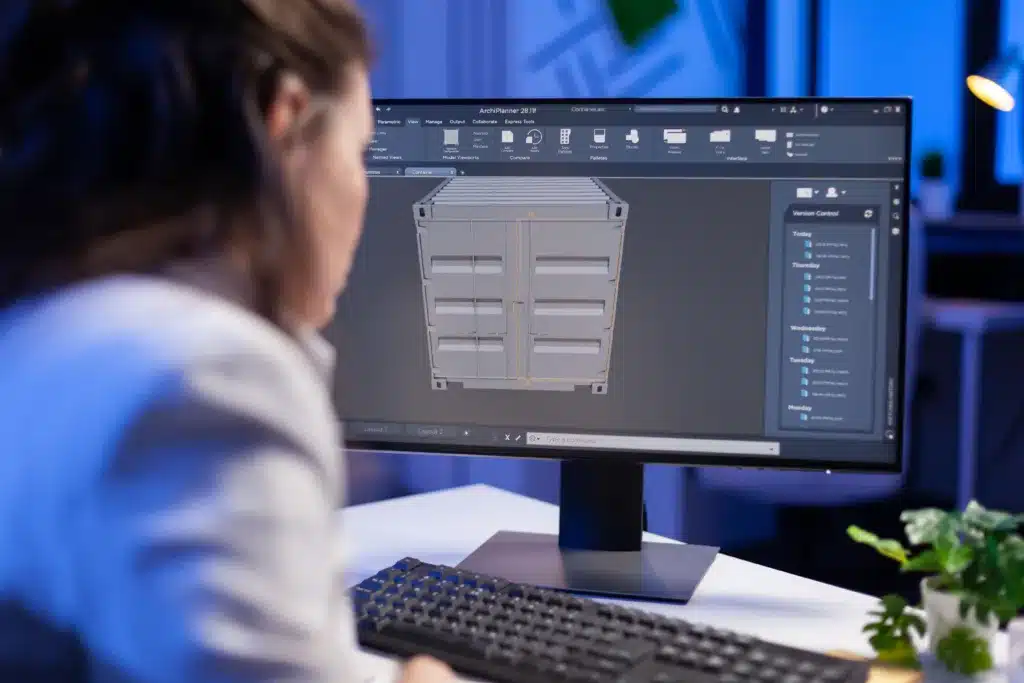
In the world of architecture, engineering, and construction (AEC), Autodesk Revit has established itself as an indispensable tool for BIM.
However, even with its wide range of functionalities, professionals often find themselves needing to automate repetitive tasks or execute specific commands that the software does not natively offer.
This is where the powerful ones pyRevit extensions They enter the scene, transforming the way we interact with Revit and raising productivity to a new level.
What is pyRevit?
O pyRevit é An open-source framework that allows you to extend the functionality of Autodesk Revit through custom scripts and plugins, written primarily in Python.
It acts as a bridge, facilitating the creation of new tools and automations that integrate seamlessly with the Revit interface.
For any professional of BIM, Whether you're an architect, engineer, or designer, pyRevit represents an opportunity to customize your workspace, adapting it to the specific needs of each project and optimizing processes.
Imagine having access to a library of digital tools that solve everyday challenges, from organizing elements to generating documentation. That's what pyRevit provides.
It democratizes the development of new functions, allowing users with different levels of programming knowledge to create or use existing pyRevit tools, boosting operational efficiency and design innovation.
Why use extensions in pyRevit?
Adopting pyRevit extensions is a strategy to transform the workflow methodology in Revit.
They are the key to unlocking the software's full potential, allowing you to go beyond standard functions and create a truly optimized workflow.
Increased productivity
One of the most obvious benefits of pyRevit extensions is the remarkable increase in productivity.
How many times have you found yourself performing the same sequence of clicks to organize views, rename elements, or adjust parameters?
These repetitive tasks consume precious time that could be dedicated to more complex design decisions or management. construction projects.
pyRevit tools are designed to automate these processes, saving hours of work and minimizing human error.
With the right Revit extensions, you can, for example, quickly clean up models, manage legends more efficiently, or standardize element naming, ensuring greater project efficiency and a more agile workflow.
Ease of automation
Even without in-depth programming knowledge, pre-existing extensions allow you to perform complex tasks with a single click.
For those who wish to go further, pyRevit offers an accessible environment for creating your own Revit automations.
With a little knowledge of Python, it's possible to develop scripts that meet your specific needs, from data manipulation to generating customized reports.
This opens up a range of possibilities for Revit customization, transforming ideas into functional tools and establishing new design solutions.
The ease of scripting for Revit through pyRevit makes programming in architecture a reality for many professionals.
Main extensions of pyRevit
The beauty of pyRevit lies in its vast library and the community's ability to develop and share new tools.
While numerous extensions exist, some stand out for their usefulness and impact on daily productivity. Let's explore some of the best pyRevit extensions that every professional should know.
Extension 1: Overkill
The extension “"Overkill"” It is essential for maintaining the health of Revit models.
Often, during the development of a project, duplicate elements (lines, components, etc.) can accumulate, resulting in large and slow files.
Overkill's main function is to efficiently identify and remove these overlapping or duplicate elements.
To use it, simply select the tool in the pyRevit tab and it will scan the model, presenting options for cleaning up the elements.
It is a tool to ensure clarity of design, process optimization, and software performance, contributing to the final quality of the project.
Extension 2: Match Tool
The “Match Tool” is one of the most versatile pyRevit tools for maintaining the Visual and parametric consistency in a model.
It allows you to copy properties from one element to another, such as line type, text parameters, display properties, and even some instance parameters.
Imagine you have several detail elements or notes and you need them all to have the same font, size, or line style.
Instead of adjusting each one manually, the Match Tool allows you to select a "source" element and quickly apply its properties to multiple "target" elements.
This is fundamental to maintaining standardization and agility in I work with BIM, saving considerable time on large-scale projects.
Extension 3: Batch Sheet Maker
Creating drawings in Revit can be a time-consuming process, especially in projects that require dozens or hundreds of them. “"Batch Sheet Maker"” It's an extension that simplifies this task.
It allows you Create multiple boards at once., based on lists of data (such as board numbers and names) that can be imported from an Excel spreadsheet.
With this tool, you define the desired parameters for each sheet, the title block to be used, and in just a few clicks, pyRevit generates all the necessary sheets.
This task automation is a clear example of how pyRevit extensions can revolutionize project documentation, freeing the user to focus on more critical aspects of design and coordination.
How to install extensions in pyRevit
Installing the pyRevit extensions is a relatively simple process, even for those unfamiliar with programming.
PyRevit has a built-in extension manager that makes it easy to discover and install new tools.
- Install pyRevit: If you don't already have pyRevit installed, download the latest installer from the official website or from [link to website]. GitHub repository and follow the instructions. Once installed, a new tab will appear. “"pyRevit"” It will appear in your Revit interface.
- Access the Extension Manager: In the “pyRevit” tab within Revit, locate and click the “pyRevit ➔ Extensions” button. This will open the extensions manager window.
- Explore and Install: The manager displays a list of extensions available in the pyRevit library, many of which were developed by the pyRevit community. You can browse, read descriptions, and click "Install" to add the desired extensions to your Revit.
- Restart Revit (if necessary): In some cases, you may need to restart Revit for the new extensions to appear in the pyRevit tab.
This quick pyRevit tutorial lets you start using new features in minutes, transforming your experience with the construction software.
Creating your own extensions
For users who want to go beyond existing extensions and create tools tailored to their needs, pyRevit offers a platform for developing plugins and scripting for Revit.
This is an opportunity for those interested in programming in architecture and AEC technology.
Tools and resources needed
To develop your own extensions, you will need some basic tools and knowledge:
- Python: This is the primary programming language for PyRevit. A basic understanding of programming syntax and logic is essential.
- Revit API: The Revit Application Programming Interface (API) is the set of classes and methods that allow you to interact programmatically with the software. You will need to understand how to access and manipulate Revit elements, parameters, and views through the API.
- Development Environment (IDE): A code editor like Visual Studio Code, PyCharm, or even a simple text editor can be used to write your scripts.
- pyRevit documentation: PyRevit has its own documentation that explains how to structure its extensions and use its specific functionalities.
Python programming tips for pyRevit
Starting to develop can seem challenging, but with a few tips, you'll be on the right track:
- Start small: Don't try to create a complex tool all at once. Start with simple scripts, such as changing a parameter of a selected element or creating a view.
- Make use of existing examples: The pyRevit community is very active. Study the source code of existing extensions to understand how they work and how they interact with the Revit API.
- Use the documentation: Consult the pyRevit and Revit API documentation regularly. They are your best friends for understanding the available classes and methods.
- Test iteratively: Develop your script in small parts and test it in Revit to ensure each step works as expected.
- Join the community: Online forums and groups are great places to ask questions, share your creations, and learn from other developers. Revit development is a collaborative field.
Work more efficiently with pyRevit extensions.
To the pyRevit extensions They are an ecosystem that helps architecture, engineering, and construction professionals work smarter.
By integrating Revit automation into your workflow, you save time, improve the quality of your projects, and enhance your skills as a professional.
From cleaning up models with Overkill to creating batch sheets with Batch Sheet Maker, pyRevit tools offer practical solutions for everyday challenges.
And for those who wish to go further, the ability to create their own extensions opens up a world of possibilities for Revit customization and design innovation.
Start with the tools in this article, explore other possibilities, and whenever possible, Adapt pyRevit to your design style..
If you want to take your team further and implement optimized workflows with BIM, Cadbim is here to walk the path with you. Contact us and learn about our solutions.